
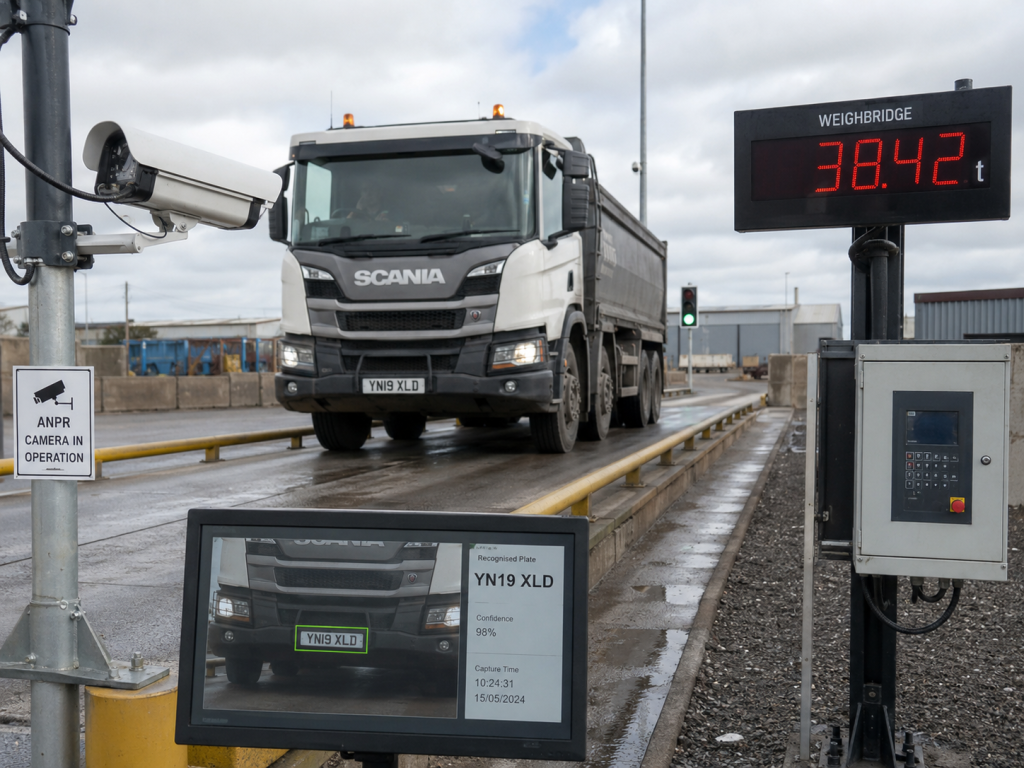
ANPR integration can remove a repeated identification step at a weighbridge, depot or controlled industrial entrance. A camera reads a vehicle registration plate, software matches the result to an approved record, and the site workflow uses that match at the correct point.
The camera and recognition software form one part of the job. Site teams must also define where the camera captures the plate, which system owns the vehicle record, how access control responds and what operators do when a match fails.
Where ANPR fits in the site workflow
Startek’s Projects page describes an automated public weighbridge with ANPR, online payments, remote monitoring and account management. The Weighbridge Kiosk page also lists automatic number plate recognition as an identification option alongside RFID, iButton, QR codes, PINs and customer accounts.
Those published capabilities place plate recognition inside a wider transaction. The site may use the result to find a customer account, prepare a weighing transaction, guide a driver or pass an identity result to access-control equipment. The project brief should name the required action for each point in the vehicle journey.
Capture
Choose a camera position that gives the system a clear plate view during normal vehicle movement.
Match
Define the vehicle or account record that the recognition result should query.
Use
State which kiosk, software or access-control step may use the confirmed match.
Review
Give operators a clear path for an unread plate, uncertain match or unavailable camera.
Design the capture point around real traffic
A site review should start at the vehicle approach. The project team needs to record the lane width, stopping point, expected vehicle types, camera mounting options and the conditions around the plate view. The review should also cover glare, shadows, weather exposure, dirty plates and anything that may block the camera.
The capture point should suit the workflow rather than force drivers into an unclear position. At a weighbridge, the camera position also needs to align with the stage at which the system expects identification. A plate read on approach may serve a different purpose from an image captured while the vehicle sits on the platform.
Define the match before connecting access control
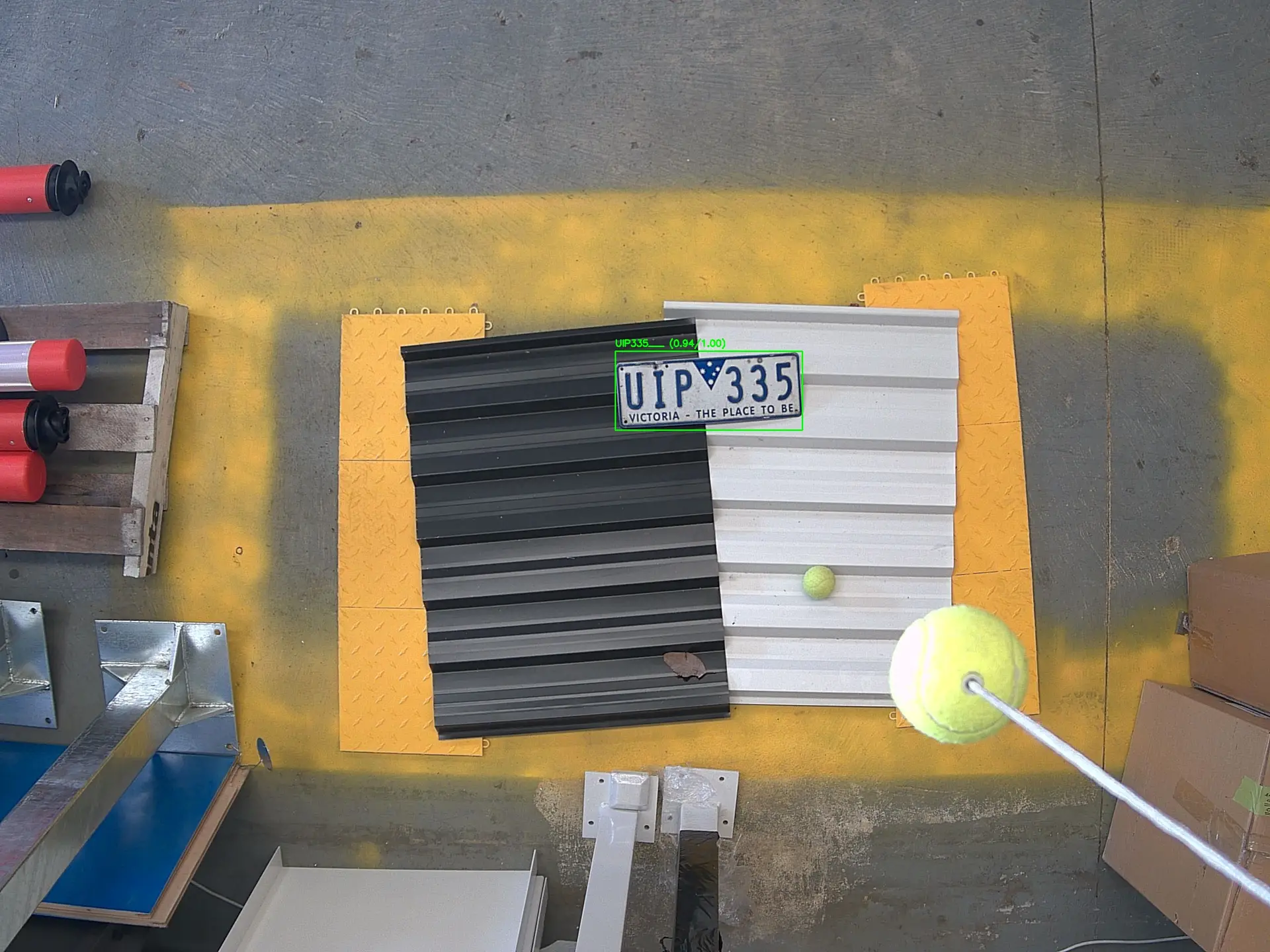
The project team should decide which system holds the approved vehicle or customer record. The ANPR result may need to match a registration number in weighbridge software, an account portal or another operational database. Document the permitted formats, ownership of record changes and the response when two records contain the same plate.
A recognition result should produce a defined state for the receiving system. Useful states may include a confirmed match, no match, uncertain read and camera unavailable. The site can then decide which transaction or access-control steps apply to each state. This keeps the recognition result separate from the operating rule that follows it.
Connect ANPR to weighbridge and kiosk systems
Startek’s Weighbridge Automation page covers kiosks, cameras, sensors, driver interfaces and site controls. An ANPR integration may exchange data with several of those parts during one visit. The software could receive a plate result, find the relevant account, present the correct kiosk path and associate the identity with the transaction record.
The interface specification should list the message fields, receiving system, timeouts and response codes. It should also state whether the plate result starts a transaction or attaches to one that another device has started. Startek’s Embedded Systems & Integration capability covers cameras, sensors, controllers, software and connected infrastructure, which supports this wider integration scope.
Plan operator review and data handling
Operators need a practical response when the system cannot return a usable match. The design should identify who can review the image, correct a registration number, choose an account or continue through another identification method. Clear permissions and an audit record help the support team trace a decision later.
The customer should also set rules for image access, storage location and retention before commissioning. Those rules affect the application, network and support design. They belong in the project requirements with user access, backups and remote-support arrangements.
Commission the complete ANPR integration
Commissioning should cover the complete path from image capture to the final software or site response. Use vehicles and plate formats that reflect the expected traffic. Run tests during the operating conditions identified in the site review, then compare the observed response with the approved workflow.
- Confirm the camera view at each agreed vehicle position.
- Test confirmed, uncertain and unmatched plate results.
- Check account selection and transaction association.
- Verify kiosk messages and operator review steps.
- Record the response to a network or camera interruption.
- Confirm user access, image storage and support records.
A useful project brief includes the site plan, expected vehicle types, proposed capture points, account source, required workflow states and exception process. Startek can then review the camera, software and controller interfaces as one integration task.
Share those details through the contact page to discuss an ANPR integration for a weighbridge or industrial site.